Install KarmaAxis App for a Fast, Reliable, and Engaging Experience
Streamline your access to KarmaAxis with the Progressive Web App (PWA)! With just one click, you can launch KarmaAxis directly from your home screen or app drawer, making it easy to access anytime, anywhere. Install the KarmaAxis PWA now for a fast, reliable, and convenient user experience.
Please note that third-party browsers available on the App Store / Play Store, such as Chrome (iOS / MacOS), Firefox, Brave, and Edge, may not support the installation of Progressive Web Apps (PWAs) or Service Workers. This means that you may not be able to use these browsers to install the KarmaAxis PWA on your device. If you wish to install the KarmaAxis PWA, we recommend using Safari on iOS / MacOS or Chrome on Android.
Mobile - Chrome [Android]
Installing the KarmaAxis Progressive Web App (PWA) on your Android device is easy! Follow these steps to get started:
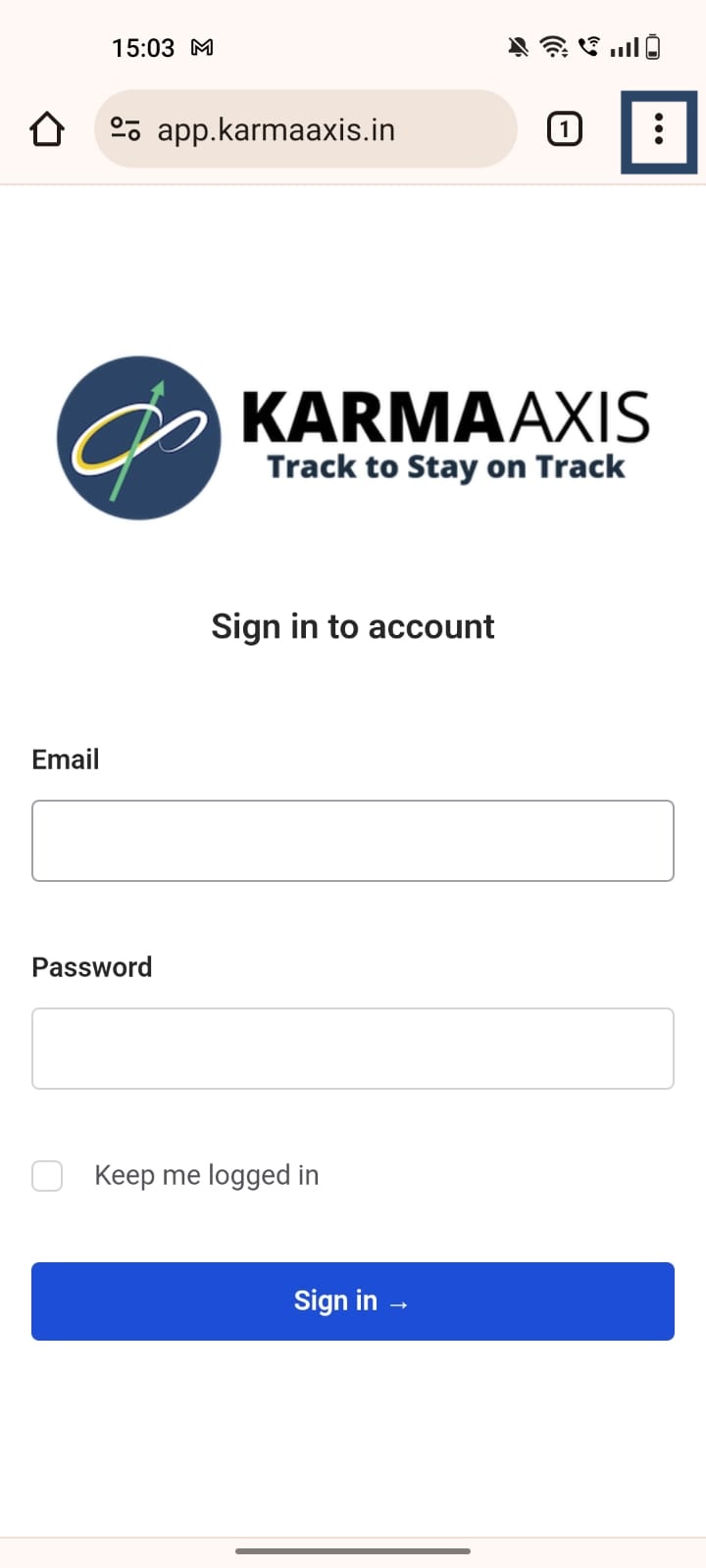
- Open Chrome and visit https://app.karmaaxis.in/
- Tap the three dot menu icon in the top right corner of the screen.
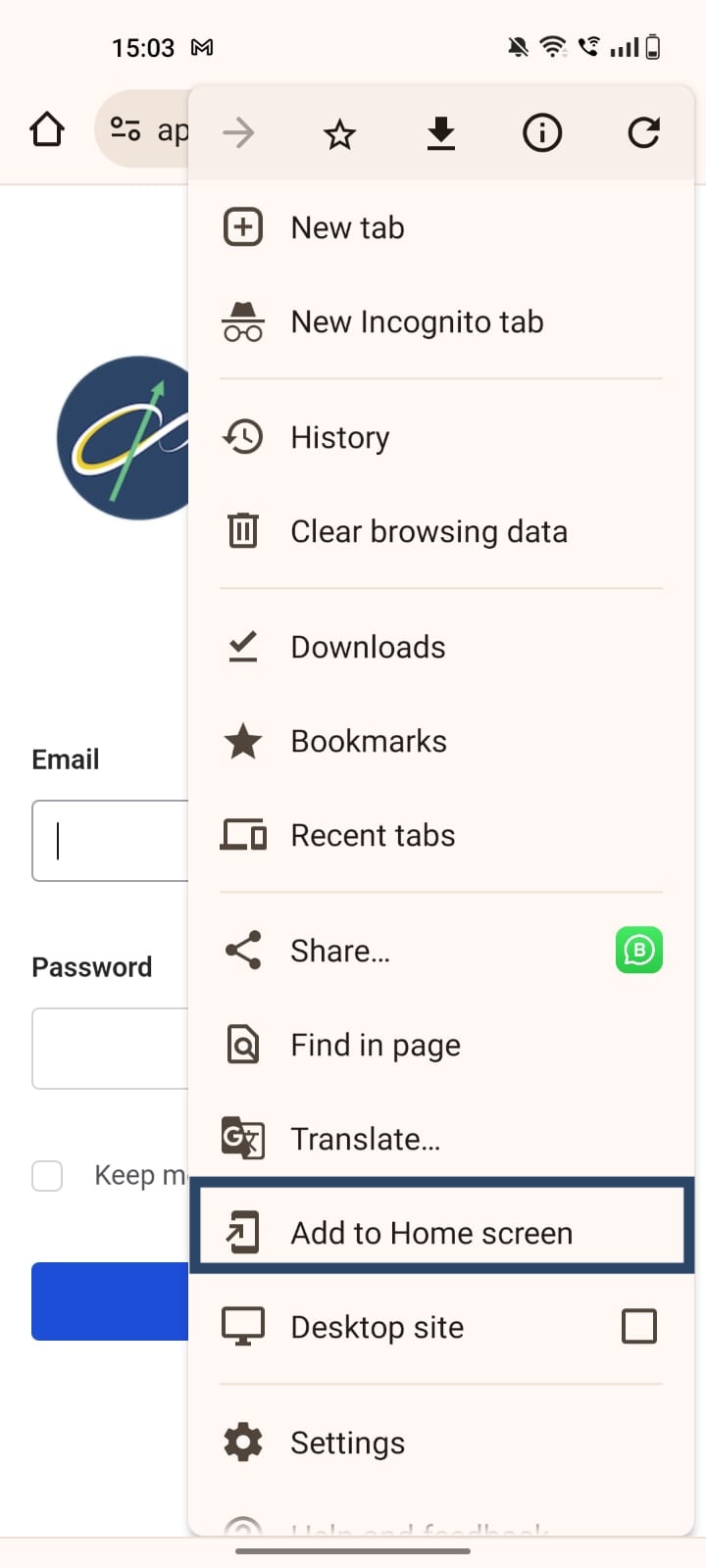
- From the menu, select "Add to Home Screen".
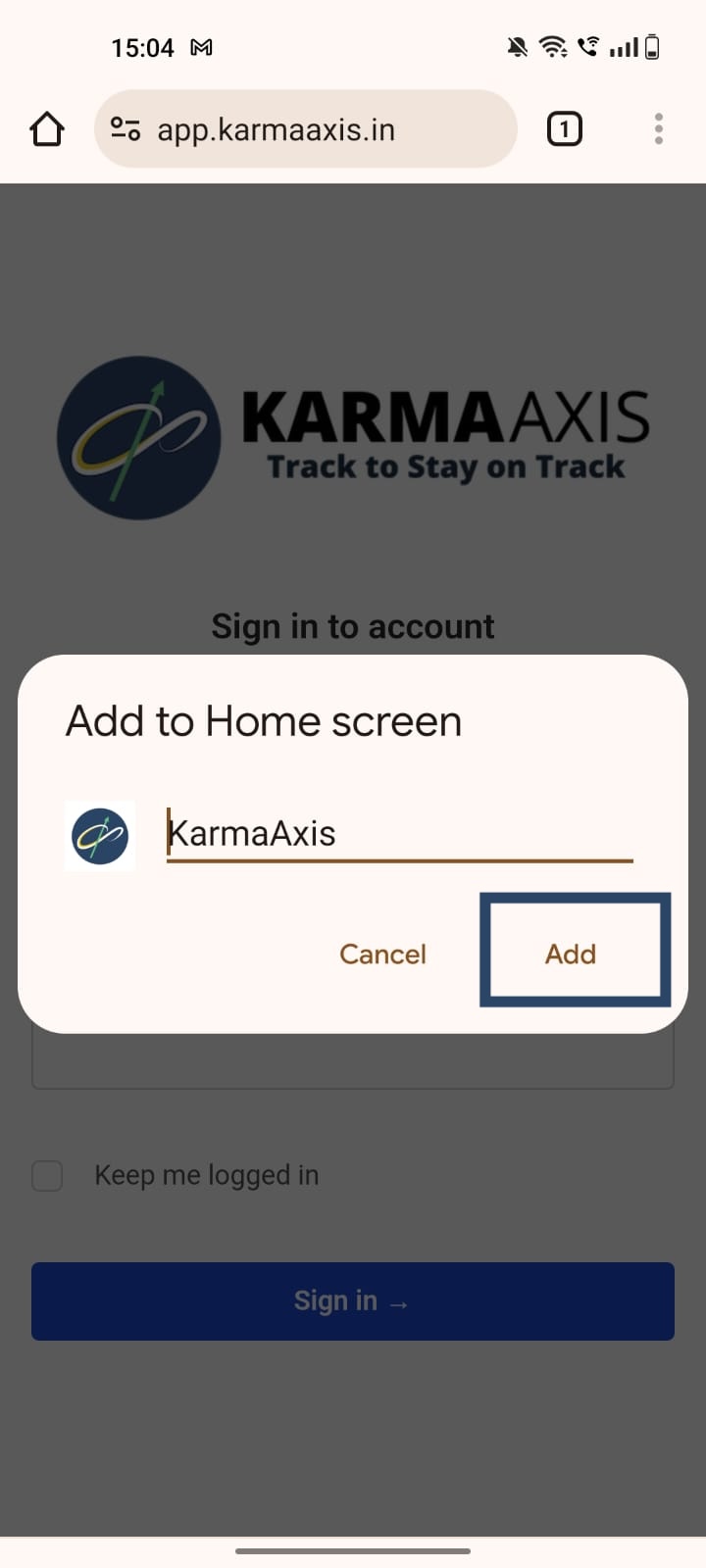
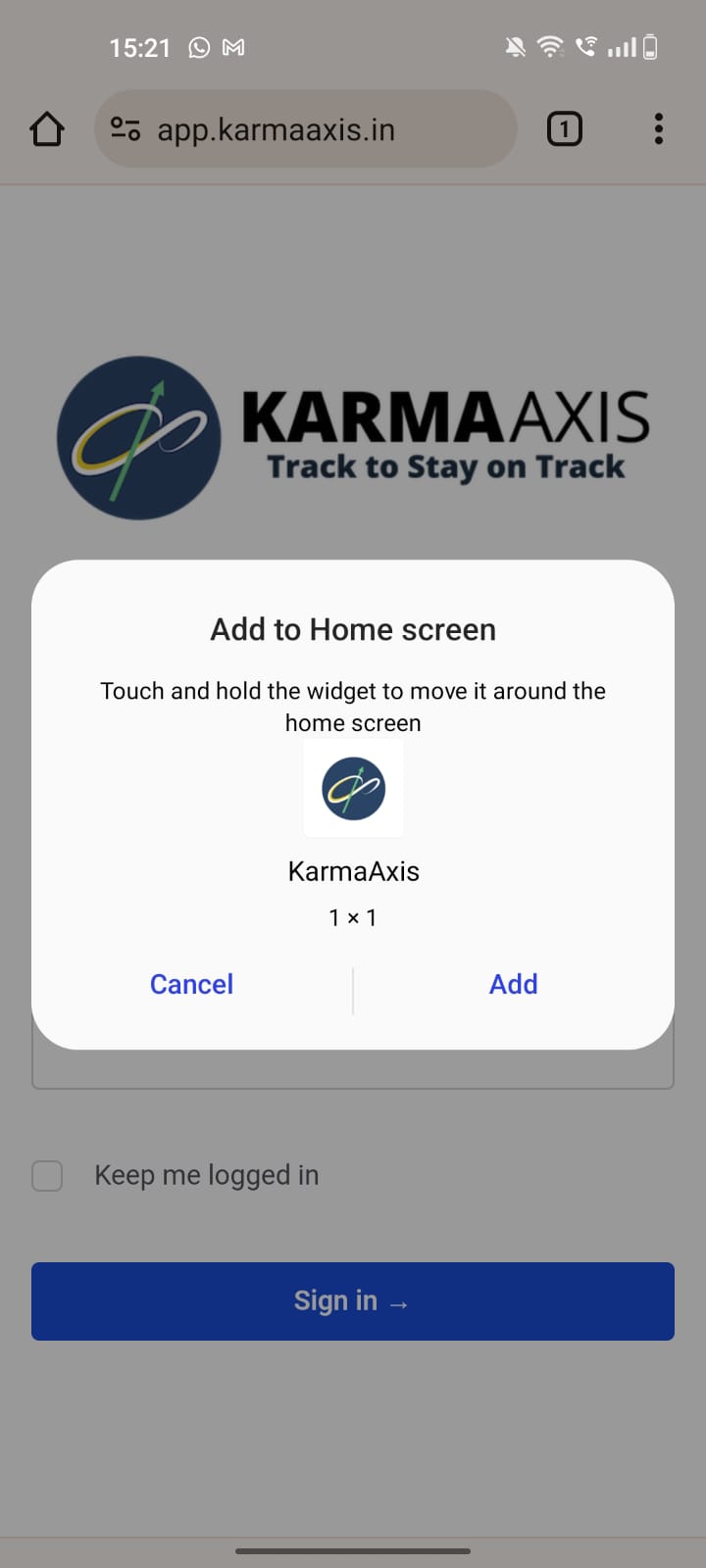
- In the popup that appears, tap "Add" and tap “Add” again to confirm.
You're all set! You can now launch KarmaAxis from your home screen by tapping the KarmaAxis icon. Enjoy easy, one-click access to KarmaAxis. You can now launch KarmaAxis from your home screen by tapping the KarmaAxis icon.
_To delete the KarmaAxis Progressive Web App (PWA) from your home screen, follow these steps:
- Tap and hold on the KarmaAxis icon until the options menu appears.
- Tap "x Remove" to remove the PWA from your home screen.
The PWA will now be deleted. If you ever want to access KarmaAxis again, simply visit the URL in your browser or install the PWA again following the steps above._
Mobile - Safari [iOS]
Installing the KarmaAxis Progressive Web App (PWA) on your iOS device is easy! Follow these steps to get started
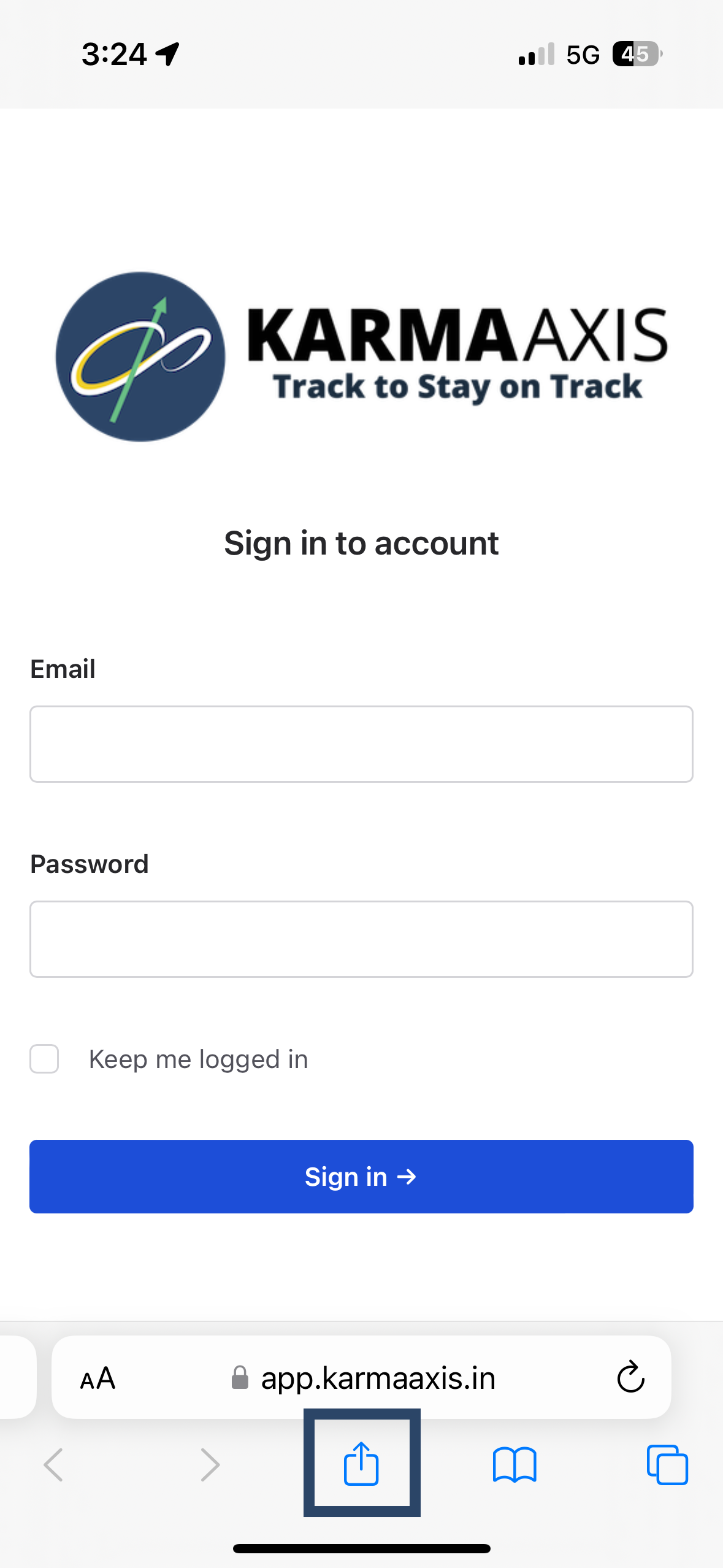
- Open Safari and visit https://app.karmaaxis.in/
- Tap the share icon at the bottom of the screen.
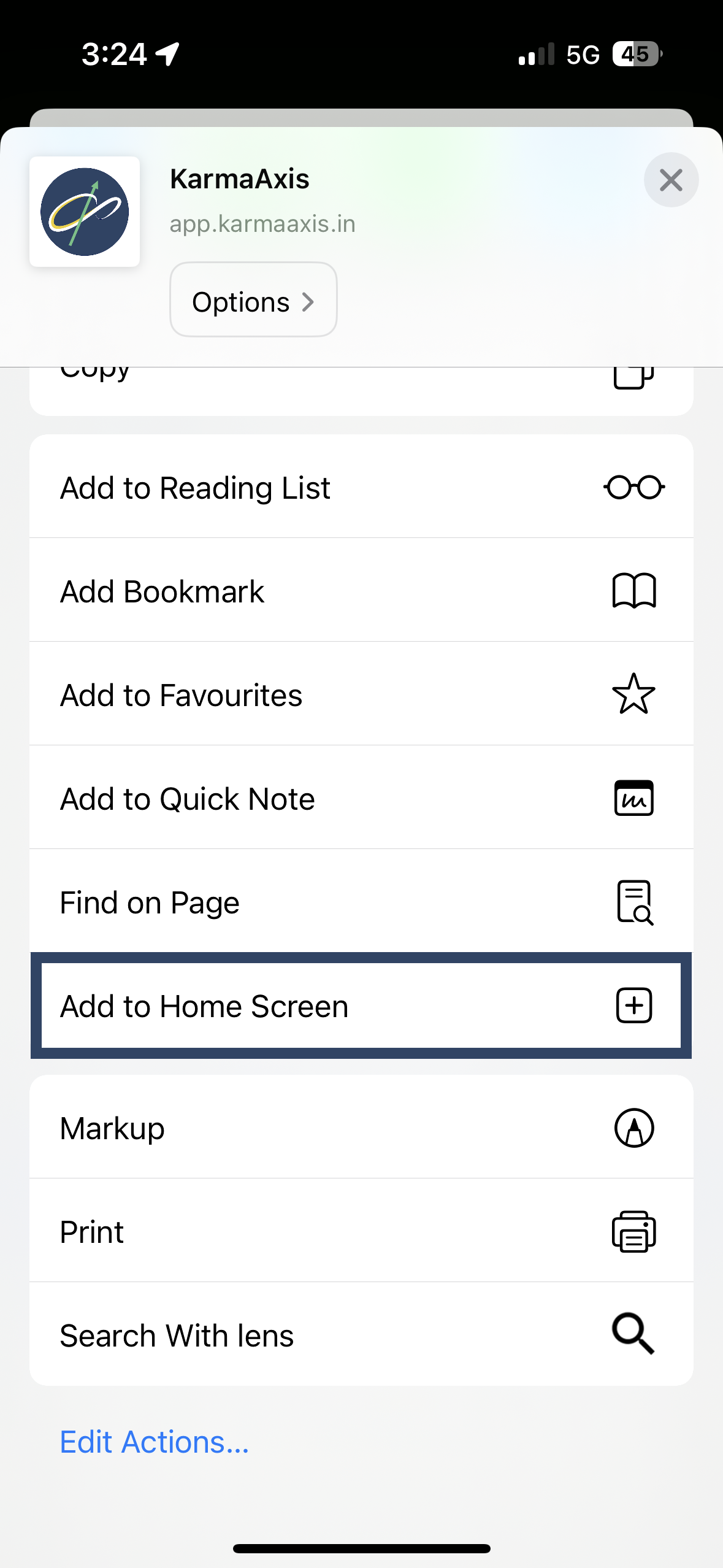
- From the menu that appears, select "Add to Home Screen".
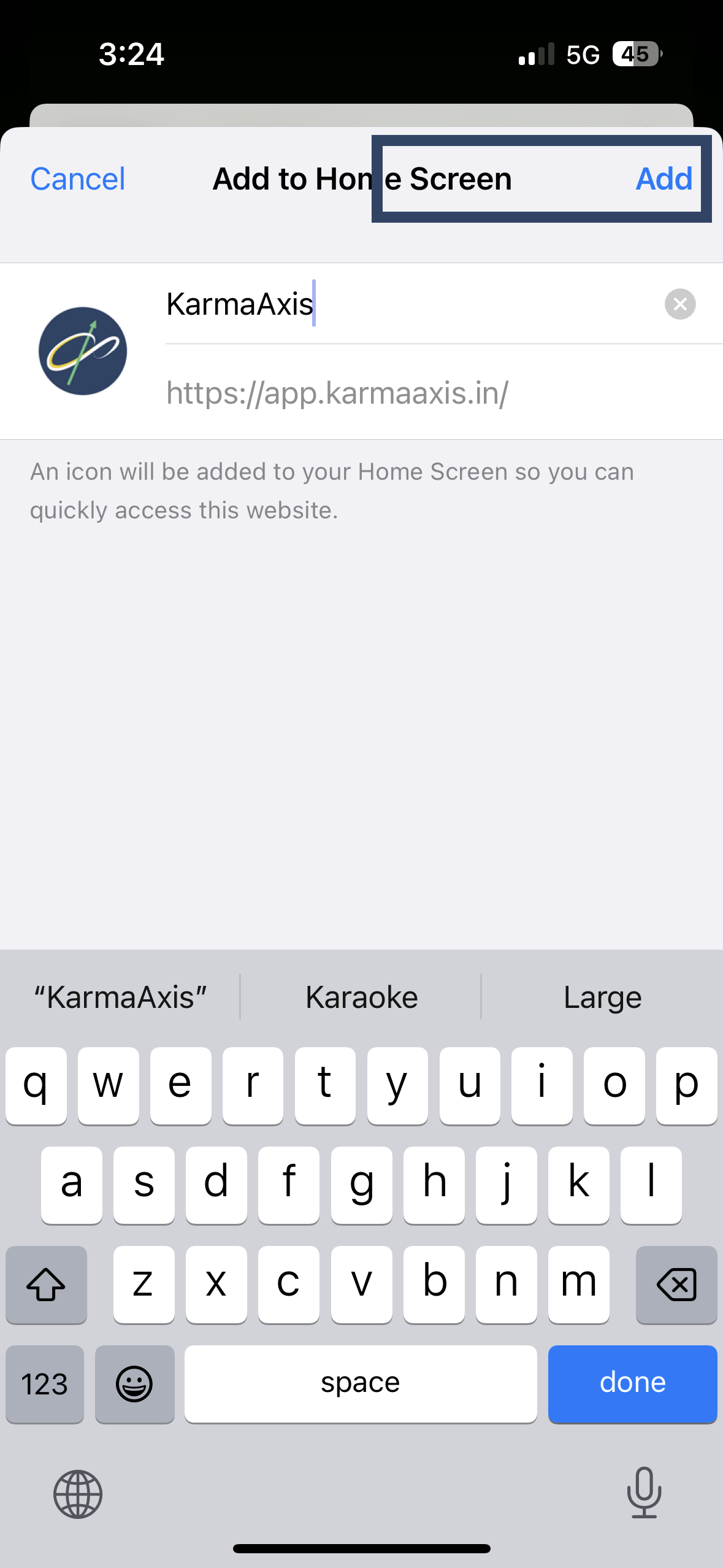
- Tap "Add" in the upper right-hand corner.
You're all set! You can now launch KarmaAxis from your home screen by tapping the KarmaAxis icon. Enjoy easy, one-click access to KarmaAxis."
_To delete the KarmaAxis Progressive Web App (PWA) from your home screen, follow these steps:
- Tap and hold on the KarmaAxis icon until the icons on your home screen start jiggling.
- Tap the small "x" in the top-left corner of the KarmaAxis icon.
The PWA will now be deleted, just like any other native app. If you ever want to access KarmaAxis again, simply visit the URL in your browser or install the PWA again following the steps above._
Desktop - Safari [macOS]
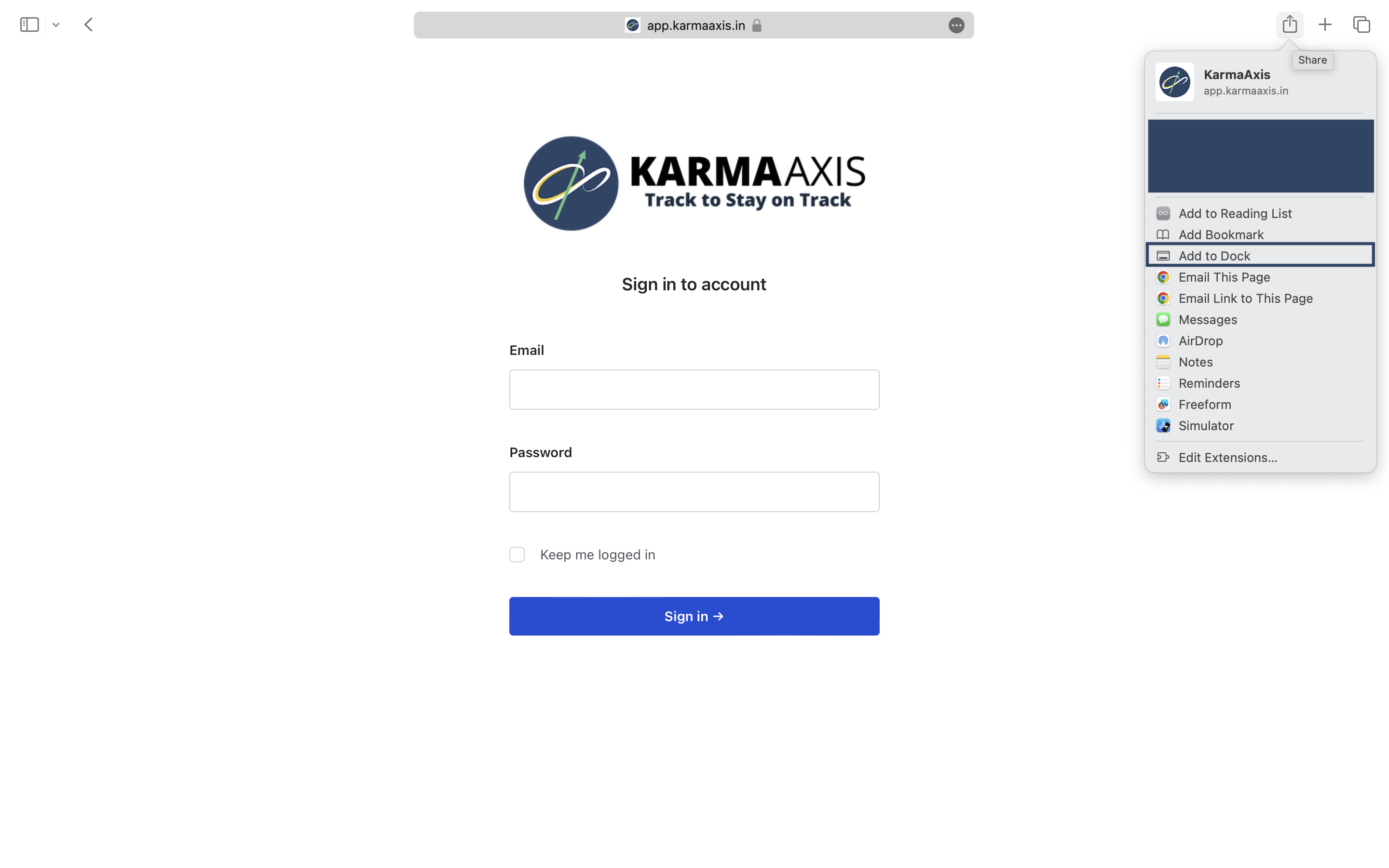
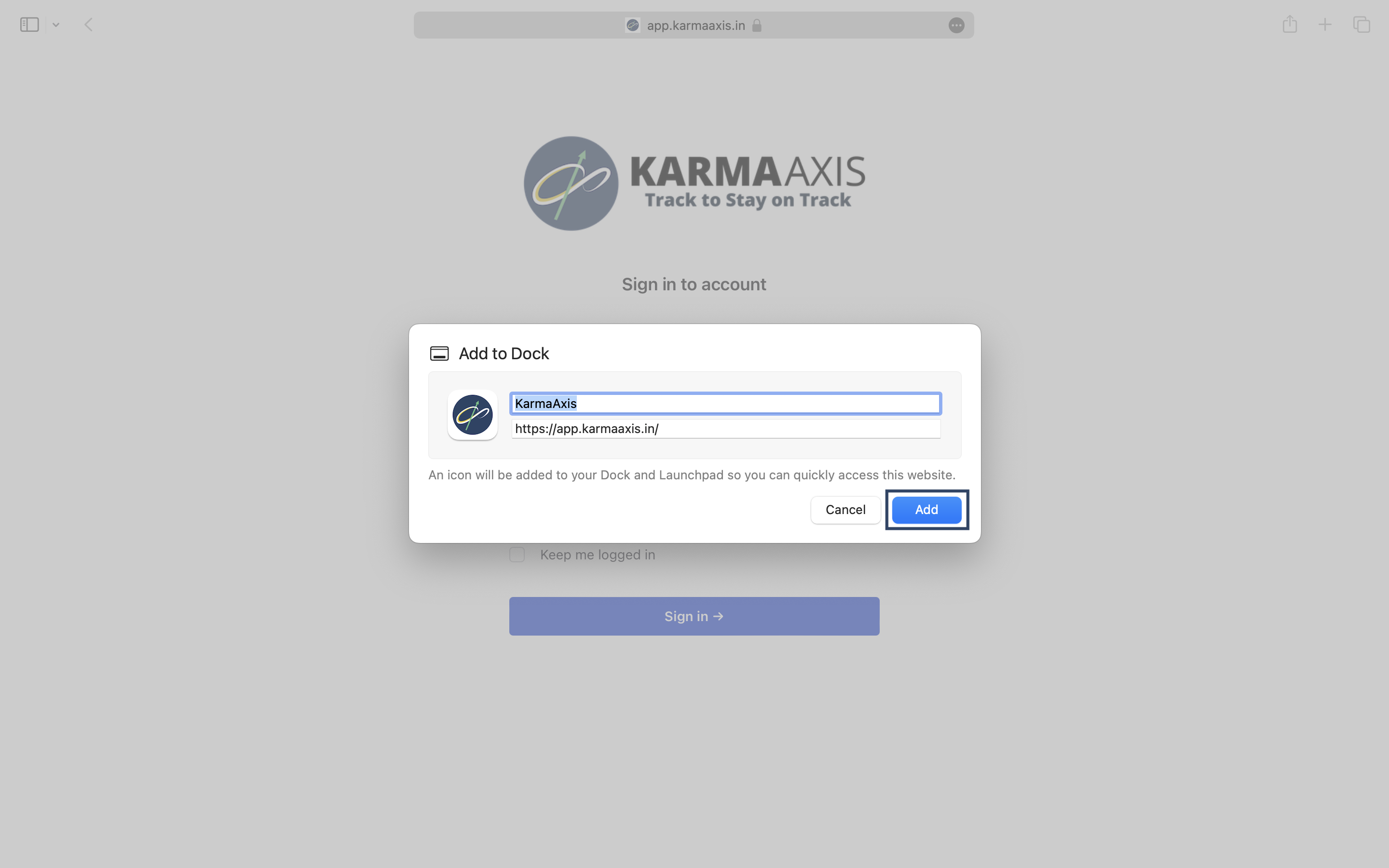
Installing the KarmaAxis Progressive Web App (PWA) on your macOS device is easy! Follow these steps to get started
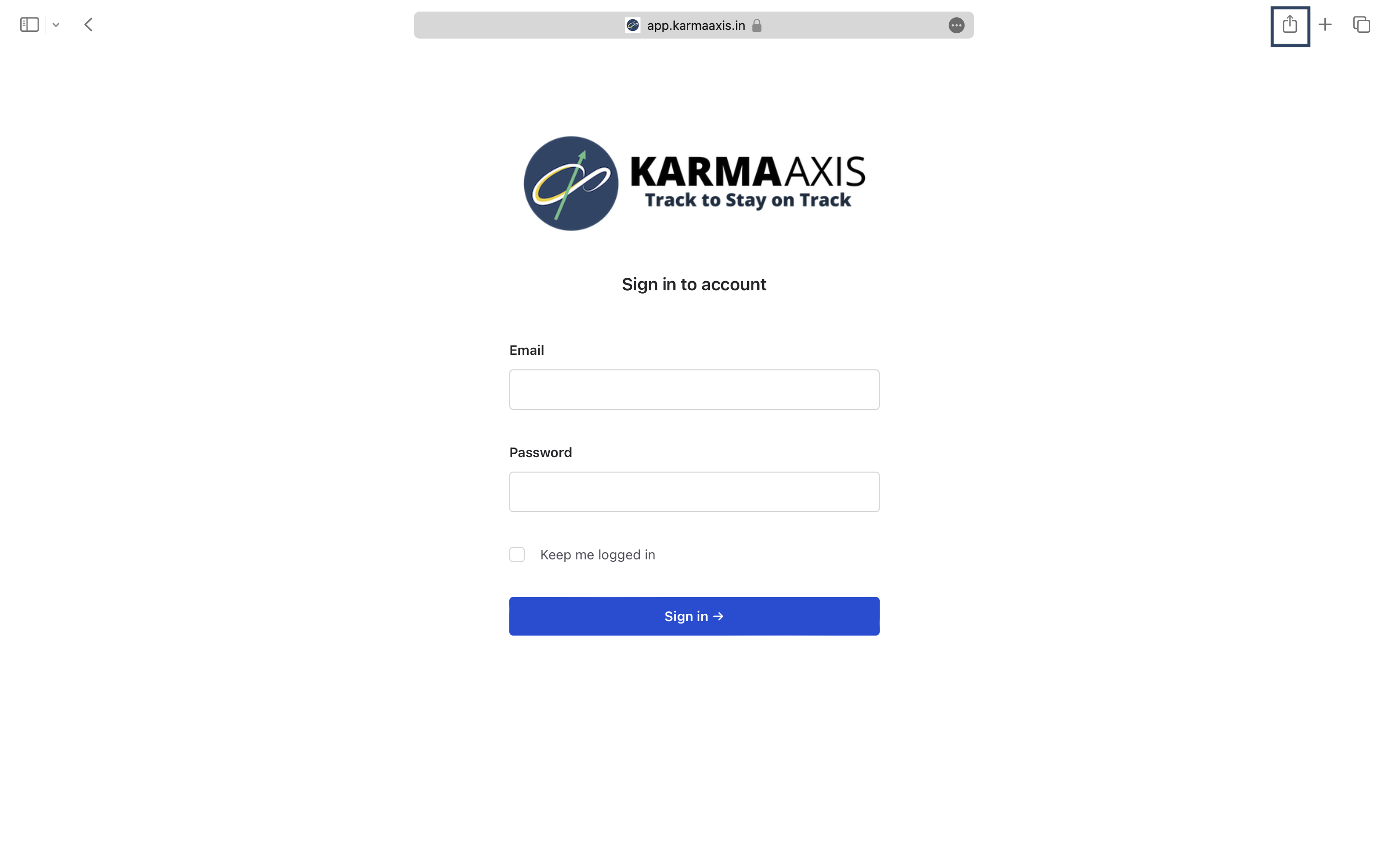
1. Open Safari and visit https://app.karmaaxis.in/
- Tap the share icon at the top right of the screen. 3. From the menu that appears, select "Add to Dock". 4. In the popup that appears, tap "Add".
You're all set! You can now launch KarmaAxis from any screen by tapping the KarmaAxis icon on the dock. Enjoy easy, one-click access to KarmaAxis."
_To uninstall the KarmaAxis Progressive Web App (PWA) from your macOS device, follow these steps:
1. Locate the PWA icon in your dock. Press and hold the Option key, then click and hold the PWA icon, or right-click on the PWA icon in your Dock. Select "Options" and then choose "Show in Finder" from the context menu. 2. In Finder, right-click the KarmaAxis PWA and select "Move to Trash." Note that if the application is open, you'll need to close it before you can uninstall it.
By following these steps, you can successfully remove the KarmaAxis PWA from your macOS device.
The PWA will now be deleted. If you ever want to access KarmaAxis again, simply visit the URL in your browser or install the PWA again following the steps above._